02
Share a workout
Turn any workout into a story card in seconds.
0:29
Real recording of the app. The steps are below.
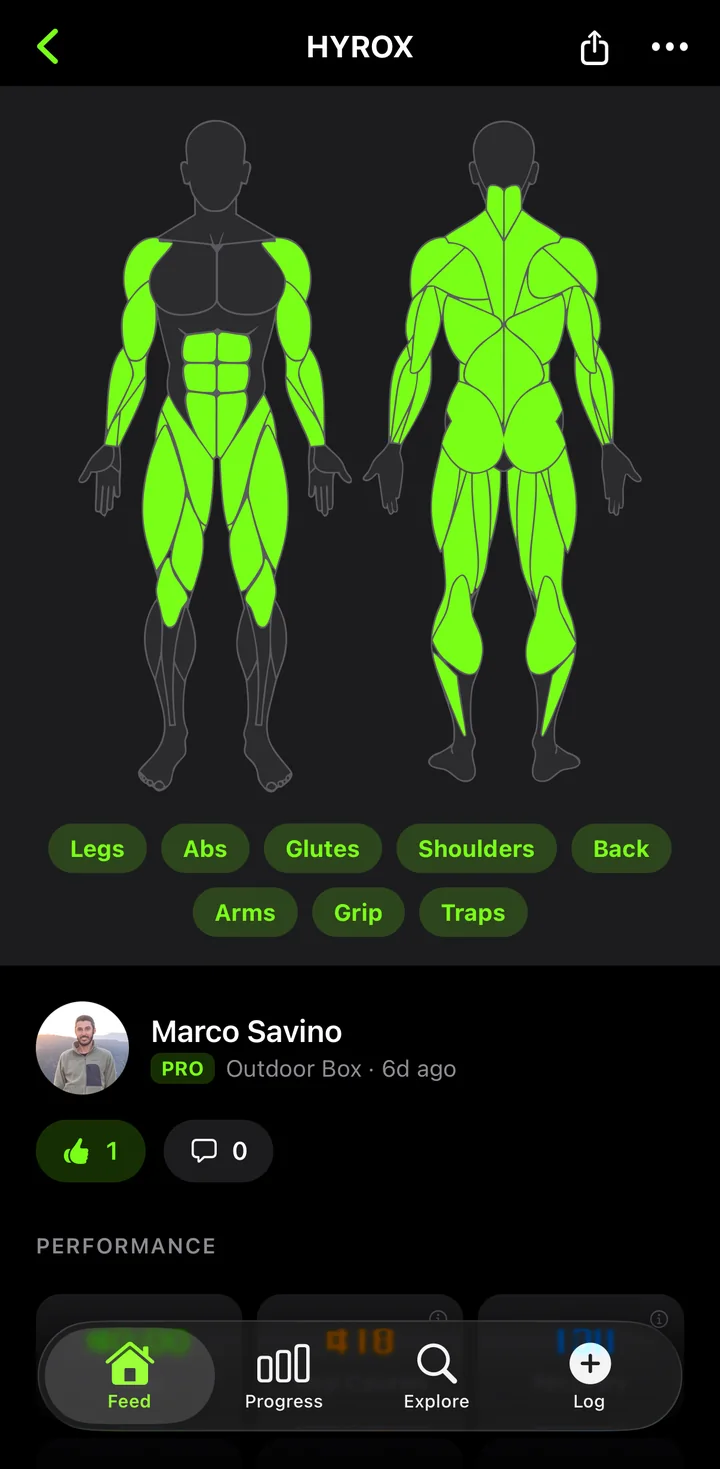
1Open the workout
Tap a workout in your feed or profile, then tap the share icon in the top-right corner.
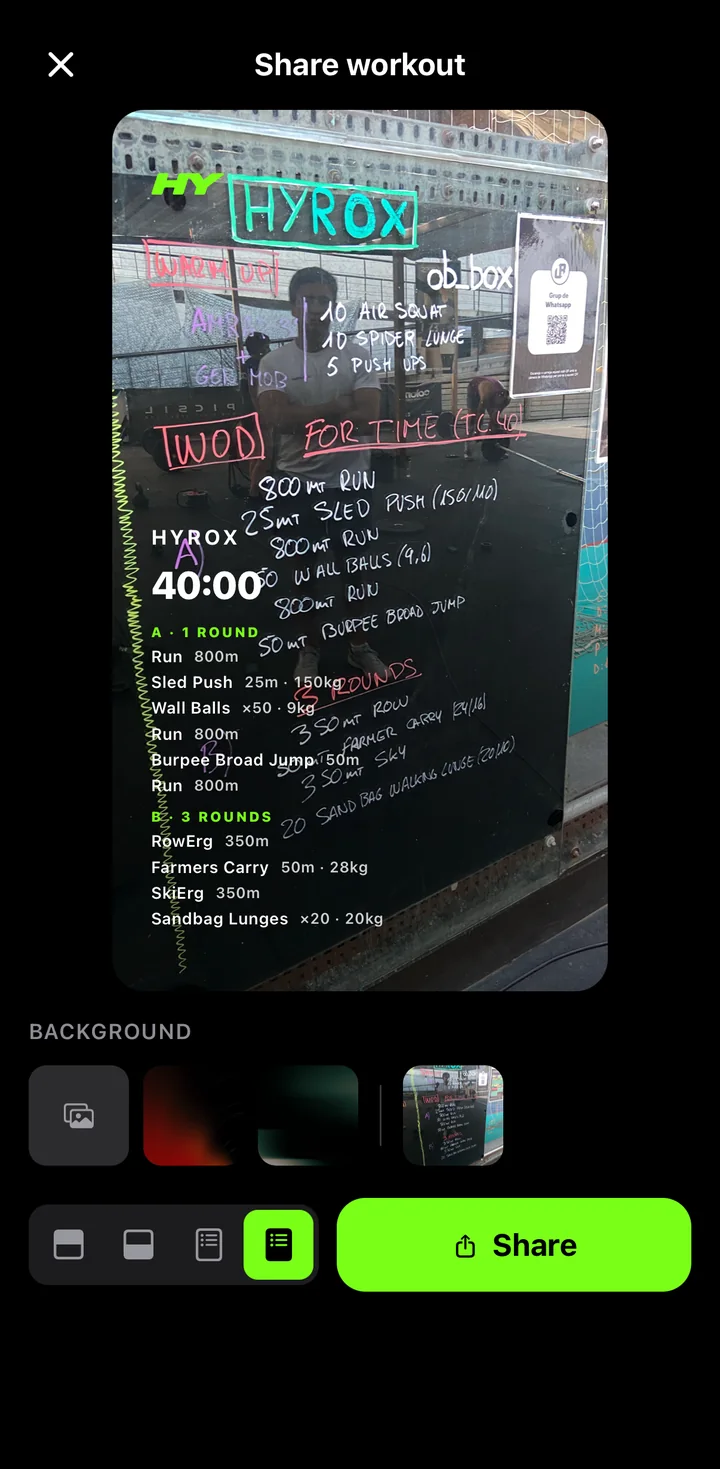
2Style your card
Pick a background — a gradient, your own photo or the whiteboard — and a layout, from a clean summary to the full station list.
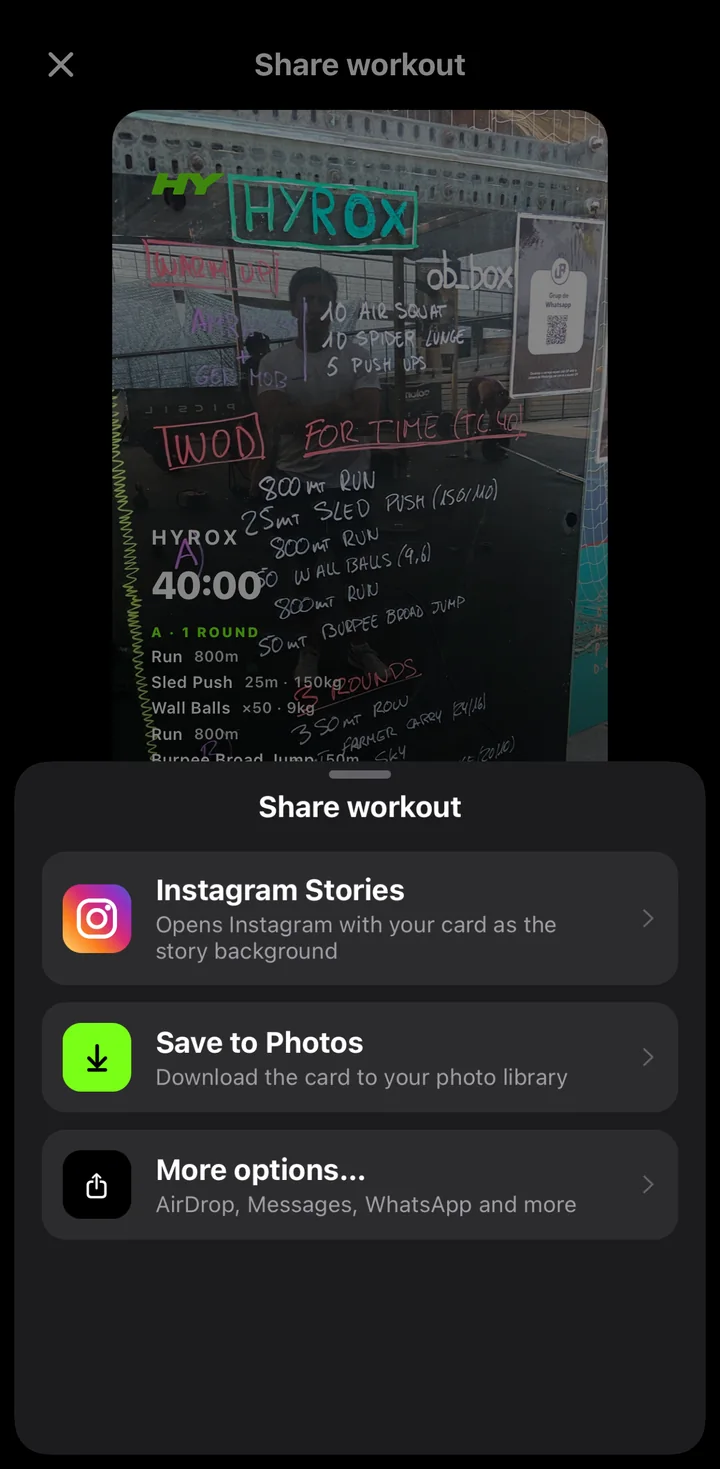
3Share anywhere
Send it straight to Instagram Stories, save it to Photos, or use More options for WhatsApp, Messages and AirDrop.