01
Log a workout
One photo of the whiteboard is all it takes.
1:05
Real recording of the app. The steps are below.
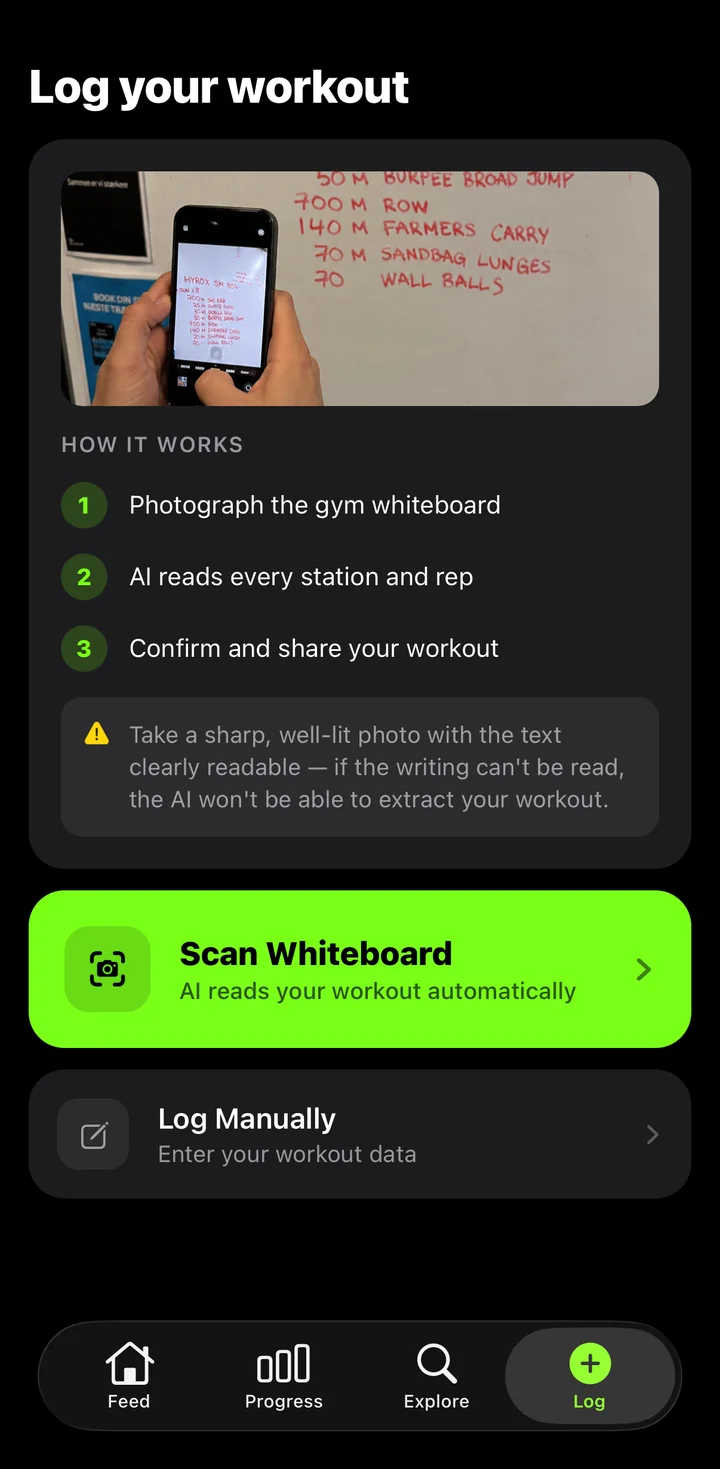
1Open Log
Tap the Log tab and choose Scan Whiteboard. Prefer typing? Log Manually is right below.
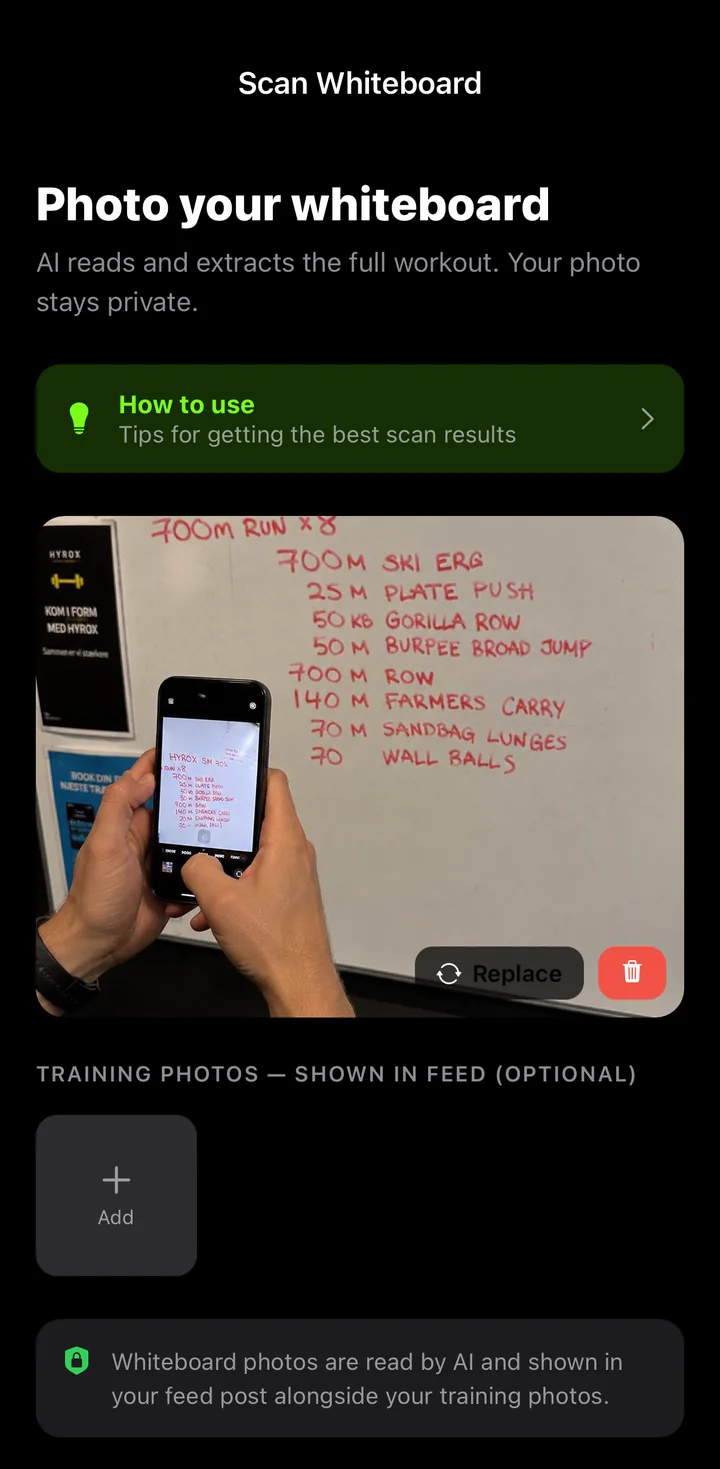
2Photo the board
Add a sharp, well-lit photo of the gym whiteboard and tap Analyze Workout. The photo stays private.
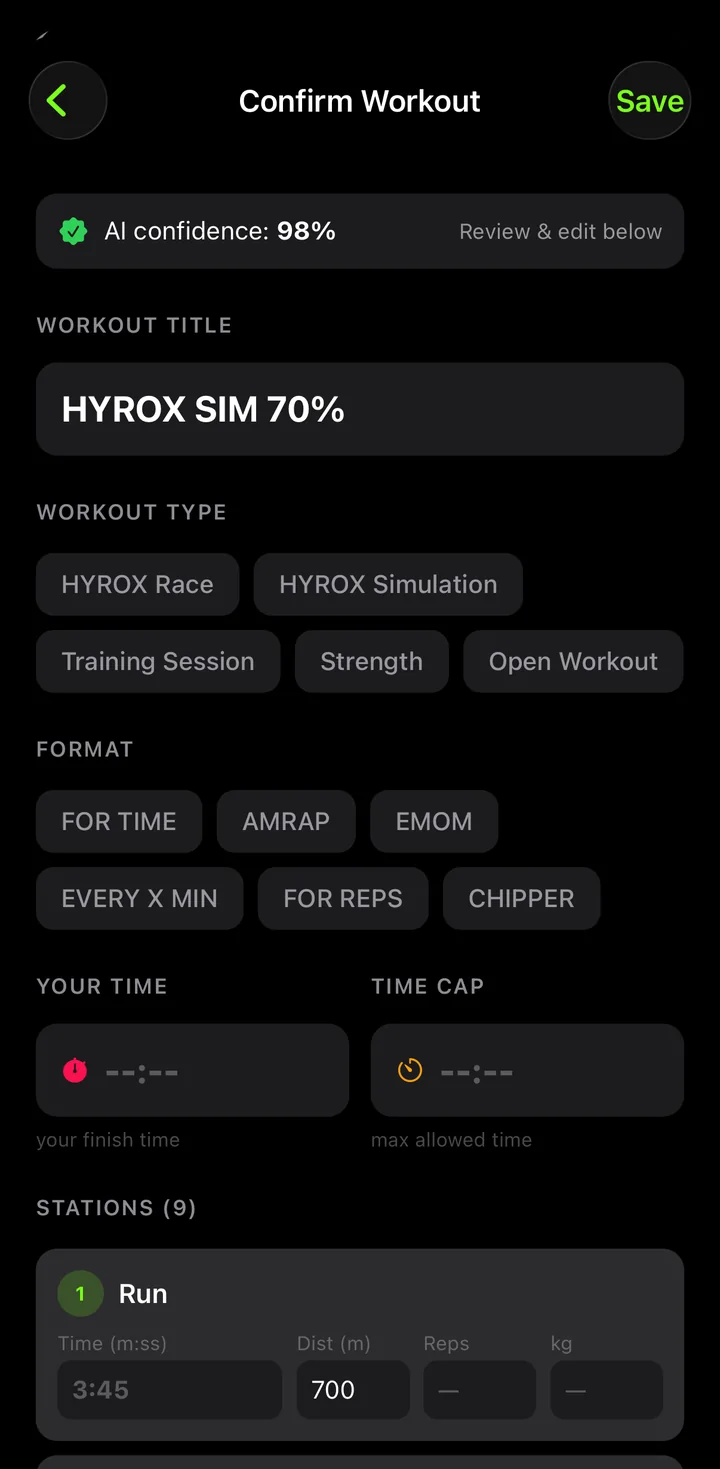
3Confirm and save
The AI fills in every station, rep and weight. Fix anything you like, add your finish time and tap Save. Your workout is live in the feed.